Why this matters now
AI agents are moving from answering questions to doing things: signing in, checking account details, and taking actions on your behalf. That makes login flow a security issue, not just a convenience feature. On October 22, 2026, 1Password announced “1Password for Agents,” a new way to let supported AI agents request access without showing the password to the agent itself. That is useful. It is not the same thing as making every agent action safe.
This article explains how the sign-in flow is supposed to work, what “the agent never sees your password” does and does not mean, what is available now, and eight checks you should run before approving any AI agent login. This is not an endorsement or a security guarantee.
What launched, and what is still rolling out
- 1Password says supported agents use a unique digital key to identify themselves, request a credential, and wait for user approval on the user’s own device.
- After approval, 1Password says Agentic Autofill fills the password or one-time code directly into the sign-in page instead of sending it to the agent.
- 1Password says connecting an agent does not give it the whole vault. Users review and approve or deny individual credential requests, and approval frequency can vary by integration.
- The platform is currently offered at no additional cost for 1Password Individual and Family accounts on 1Password.com.
- 1Password.eu and 1Password.ca accounts are not currently supported.
- Availability varies by partner, platform, region, device, and sign-in method.
- 1Password says Muse and SpaceXSI Grok Bot are rolling out, while Claude Duet, ChatGPT Work and dots, and several other connections are coming soon or are in the works.
- 1Password reports more than $500 million in annual recurring revenue; that is company-reported business context, not proof of product security.
The Verge reported on the launch the same day, framing it as part of a wider push to make AI agents useful without exposing passwords directly. For product behavior and availability, the primary source is still 1Password’s own launch blog, press release, and product FAQ.
How the sign-in flow is supposed to work
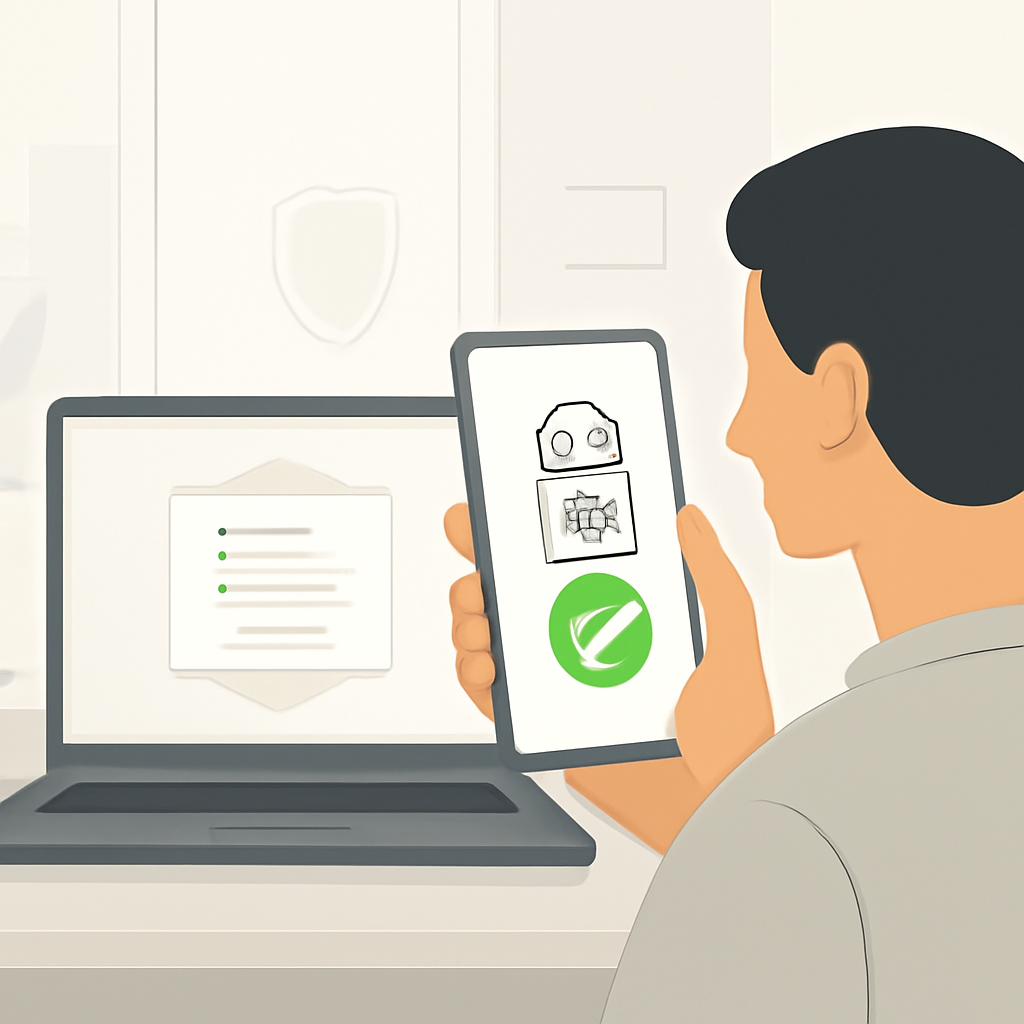
1Password’s description is straightforward: the agent does not get your password. Instead, a supported agent identifies itself with a unique digital key, requests a credential, and waits while you approve or deny the request on your own device. If you approve, 1Password’s Agentic Autofill fills the password or one-time code directly into the website’s sign-in page. In other words, the secret is delivered to the destination page, not handed over to the agent as readable text.
That distinction matters, but only up to a point. Password secrecy reduces one major risk: the agent should not be able to copy your credential out of the prompt or store it for later reuse. It does not automatically create scoped authorization, least privilege, transaction-level confirmation, or protection against whatever happens after the account is already open. If the agent can see account data after login, or click buttons once authenticated, that behavior depends on the agent and the destination website—not just on 1Password.
So the useful mental model is this: 1Password is trying to control credential handoff, not fully control the consequences of account access.
Eight checks before you approve an AI agent login
1) Is this exact agent integration supported and available?
Do not assume that a demo, announcement, or roadmap item means you can use it right now. Check whether the exact agent, platform, region, and sign-in method are supported. 1Password says availability varies by partner, platform, region, device, and sign-in method, and some integrations are rolling out while others are only planned. If the integration is not clearly listed as available for your setup, treat it as not ready.
2) Does the request name the correct account and explain why?
A safe request should be specific: which account, which site, and why the agent needs access. If an agent asks for a credential without clearly naming the destination, stop. A vague request is a red flag because it makes it harder to spot impersonation, account mix-ups, and overbroad access. The best approvals are narrow, traceable, and tied to a real task.
3) What can the agent do after login?
This is the central limitation. The fact that the agent never sees your password does not mean it cannot see account information or take actions after login. Read the agent’s own permissions, the website’s session behavior, and any stated automation scope. If the post-login power is broad, the login is only one part of the risk. The right question is not just, “Can it get in?” It is, “What can it do once it is in?”
4) Is the requested account too powerful for the task?
Use the least powerful account that can do the job. A grocery-ordering agent should not need your admin account. A travel-booking task should not require your finance login. If the only way to complete a task is with a highly privileged account, pause and ask whether the workflow itself is unsafe. High privilege plus automation is where small mistakes become expensive ones.
5) Are purchases, messages, deletions, or transfers separately confirmed?
A login approval is not the same thing as approving every action that follows. If the task involves spending money, sending a message, deleting records, changing permissions, or moving funds, look for a second confirmation step. If the system does not separate login from transaction approval, you are asking one decision to cover too much risk.
6) Can access and session state be revoked and reviewed?
Before you approve, know how to revoke access, end sessions, and review what happened. If the agent misbehaves or the destination account is compromised, you need a quick way to shut it down. Good hygiene also includes reviewing recent sessions and credential requests so you can spot unusual patterns. Approval should be reversible in practice, not just in theory.
7) Are regional, device, and sign-in-method limits understood?
1Password says support depends on region, device, and sign-in method. That matters because the exact workflow may change across desktop, mobile, browser, or account type. A process that is safe on one device may be clumsy or unavailable on another. If you are working across borders or across mixed personal and managed devices, verify the exact path before relying on it.
8) Is there a manual fallback for high-risk tasks?
For sensitive actions, a manual review path is often safer than letting an agent proceed end to end. If the task involves money, identity, legal commitments, or privileged admin access, build in a fallback where a human can finish it directly. A good rule: if you would not want the agent to act unsupervised, do not let convenience erase the manual option.
Password paste, manual handoff, 1Password for Agents, and OAuth: what’s different?
These options are easy to blur together, but they do different things. The biggest difference is how credentials are handled and who remains in control of the action.
Use this as a practical comparison, not a legal or technical standard. Risk still depends on the website, the agent, and the task.
Comparison table
- Paste password into prompt: The AI can read the secret; very low friction; highest credential exposure and easy misuse if the prompt or model is compromised.
- Manual handoff: You sign in yourself or use the site directly; more friction; the agent gets less direct control, but human error and unsafe copy-paste still matter.
- 1Password for Agents: The agent requests access, you approve on your device, and 1Password autofills the secret into the sign-in page; lower credential exposure, but post-login actions can still be risky.
- OAuth / delegated access: The app receives scoped authorization rather than your raw password; can be safer for supported workflows, but scopes can still be too broad and not every site supports it.
Three common scenarios
Ordering groceries
Safest approval choice: approve only if the request is for the correct grocery account, the agent is clearly supported, and the checkout flow still requires separate confirmation before payment. This is usually a lower-risk use case, but it still should not be treated as automatic. If the agent can substitute items, change quantities, or place an order without review, stay cautious.
Booking travel
Safest approval choice: approve only with a limited account and a clear understanding of what the agent can book, modify, or cancel. Travel tasks often involve payment, identity data, and cancellation rules. If the agent can commit you to a fare or charge without a second confirmation, the risk rises quickly.
Accessing a work admin account
Safest approval choice: do not approve casually. Use the least-privileged account possible, require a second human review, and prefer a separate delegated workflow if one exists. An admin login is powerful even when the password stays hidden. The security question is not whether the agent sees the secret; it is whether the agent should be near that level of power at all.
Would You Approve This Agent Login?
Score yourself: 1 point for each correct answer. A strong result is 4 to 5. The best answer is shown after each question.
- 1) An agent asks for a login to a site you do not recognize, with no clear explanation of why it needs access. A) Approve to see what happens. B) Deny until the request is clearly named and justified. C) Approve because the password stays hidden. Best answer: B.
- 2) The request is for the wrong account type: your personal account instead of a limited test account. A) Approve and hope it only uses the right one. B) Deny or switch to the least-powerful correct account. C) Approve because one login is like another. Best answer: B.
- 3) A work admin account is requested for a routine task that could be done with a standard user role. A) Approve because the agent is trusted. B) Deny and use a lower-privilege account or manual workflow. C) Approve if the password is not exposed. Best answer: B.
- 4) The agent can log in, but the site also requires a separate confirmation before placing an order or sending money. A) That extra step is a good sign; approve only if you will review the final action. B) Skip the confirmation because login already covers it. C) Approve any later action automatically. Best answer: A.
- 5) The system promises the agent will never see the password, but it can still read account data and submit actions after sign-in. A) That makes it fully safe. B) That means the login secret is protected, but the post-login risk still needs review. C) That means no further checks are needed. Best answer: B.
Practical setup checklist for consumers
- Use the newest supported 1Password setup for your account type and region.
- Start with low-risk tasks, not finance, identity, or admin systems.
- Prefer limited accounts and separate profiles for experimentation.
- Review the request on your own device before approving anything.
- Check whether the destination site asks for a second confirmation on risky actions.
- Know how to revoke the session and delete the agent’s access if something feels off.
- Treat every new integration as a fresh review, even if the brand name is familiar.
Business and security team checklist
- Decide which agent use cases are allowed, and which are blocked by policy.
- Map which systems can use delegated access instead of raw credential login.
- Require least privilege and separate admin accounts where possible.
- Document approval flows, logging, and session revocation procedures.
- Test whether transaction confirmations and human review still work end to end.
- Validate platform, region, and device constraints before rollout.
- Train users that password secrecy is not the same as action approval.
FAQ
Does the AI see my password?
According to 1Password, the supported agent should not see your password. The secret is autofilled directly into the sign-in page after you approve the request on your own device. That said, the destination website may still expose account data or actions after login, which is a separate risk.
Can it access my whole vault?
1Password says connecting an agent does not give it the whole vault. Users review and approve or deny individual credential requests. How often approval is needed can vary by integration.
Is every integration available now?
No. 1Password says some connections are rolling out, some are coming soon, and availability varies by partner, platform, region, device, and sign-in method. Check the current product page before assuming a specific integration is ready for you.
Does this replace OAuth or passkeys?
Not necessarily. OAuth and passkeys solve different problems and can be better fits for supported services. 1Password for Agents is a credential-handoff layer for supported sign-in flows, not a universal replacement for modern authorization or authentication methods.
Is approving a login the same as approving every action?
No. This is one of the most important distinctions in the whole launch. Approving the login means you accepted a credential request. It does not automatically mean you approved everything the agent can do once it is inside the account. If the next step is risky, it should be reviewed separately.
Conclusion
1Password for Agents is a meaningful step toward safer AI sign-ins because it tries to keep passwords out of the agent’s hands. That is better than paste-the-password-into-the-prompt behavior, and often better than ad hoc workarounds. But it is still only one layer of defense. The real test is not whether the AI can log in without seeing your secret; it is whether the resulting access is appropriately scoped, confirmable, revocable, and limited to the task you actually meant to approve.
If you remember one thing, remember this: credential secrecy is helpful, but it is not the same as safe authority.
Official 1Password launch blog
Official 1Password press release
The Verge report, October 22, 2026
Wall Street Journal business context