Why Azure Front Door TLS testing needs two checks, not one
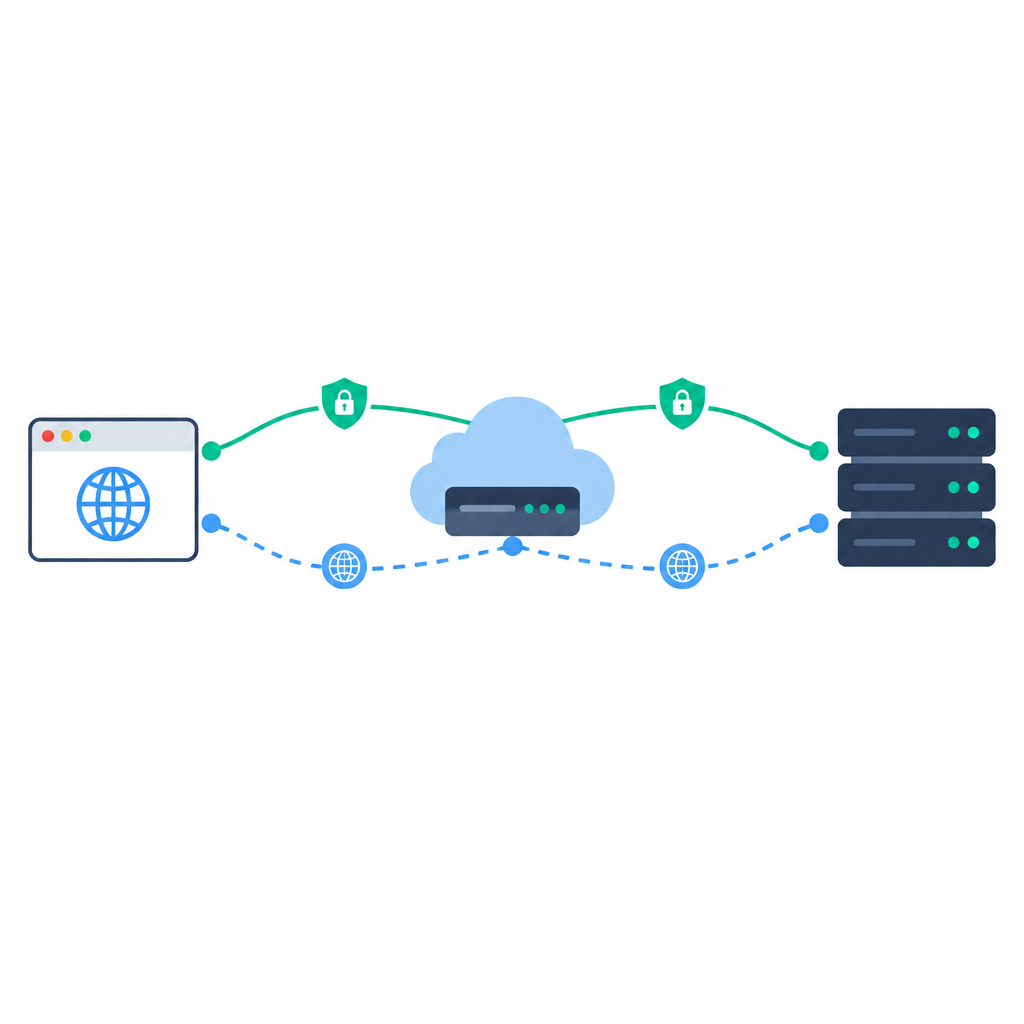
Microsoft’s November 5, 2026 general availability update applies to Azure Front Door Standard and Premium, and it is important to read that announcement alongside the product documentation before planning tests. The key point is simple: Azure Front Door uses separate connections for client-to-edge traffic and for HTTPS edge-to-origin traffic. A result on one leg does not automatically prove anything about the other.
For the client-facing leg, the domain key exchange policy controls which key exchange groups can be negotiated between the browser or automated client and the Front Door edge. That policy does not describe the separate HTTPS connection from the edge to your origin. If you only verify a successful page load, you may miss a mismatch in the origin configuration or confuse the negotiated TLS version with the negotiated key exchange group.
What hybrid TLS changes
Hybrid key exchange requires TLS 1.3 and a compatible client. Even then, a successful TLS 1.3 connection does not by itself prove that hybrid negotiation occurred. In practice, you need to capture the negotiated group separately from the TLS version so you can tell whether the session used a classical group or a hybrid one.
This distinction matters because the TLS version, cipher suite, certificate, and key exchange are related but separate choices. A secure connection can still be built with different combinations, and the policy you assign should be checked against what your clients actually support.
Standard, Premium, and policy names are not the same thing
Another easy source of confusion is naming. Standard and Premium are pricing tiers for Azure Front Door, while the key exchange policy is a separate configuration choice. The key exchange policy on default Front Door domains cannot be customized, so any policy testing should be planned around the domains and endpoints you actually control.
The Standard policy is the default policy and includes both classical and hybrid groups. If you create a custom policy and still need to serve TLS 1.2 clients, make sure the policy includes a compatible classical group. A hybrid-only policy would be a poor fit for older clients that cannot negotiate TLS 1.3.
A fictional staging test you can adapt
Imagine a staging environment with two client populations: modern browsers and an automated client used by your deployment pipeline. The browser group is expected to negotiate TLS 1.3, while the automated client is meant to expose any older compatibility issues. Test both against the Front Door endpoint, then separately verify the HTTPS settings on the origin servers. Do not assume that a clean edge test means the origin is equally correct.
A practical staging review could track three outcomes: successful connections, negotiated TLS version and group, and failure rates for each client type. For example, if browsers show low failure rates but the automated client fails intermittently, the issue may be policy compatibility rather than a general service outage. Likewise, if the edge succeeds but the origin handshake fails, the origin certificate or TLS settings deserve attention.
How to document the result
- Record the client type, TLS version, and negotiated group separately.
- Note whether the test covered the client-to-edge leg, the edge-to-origin leg, or both.
- Compare the observed failure rate for browsers and automated clients.
- Verify the origin certificate and HTTPS connection against your origin requirements separately.
- Treat policy name, pricing tier, cipher suite, and certificate as distinct checklist items.
Sources
Azure update: General availability for Azure Front Door key exchange policy