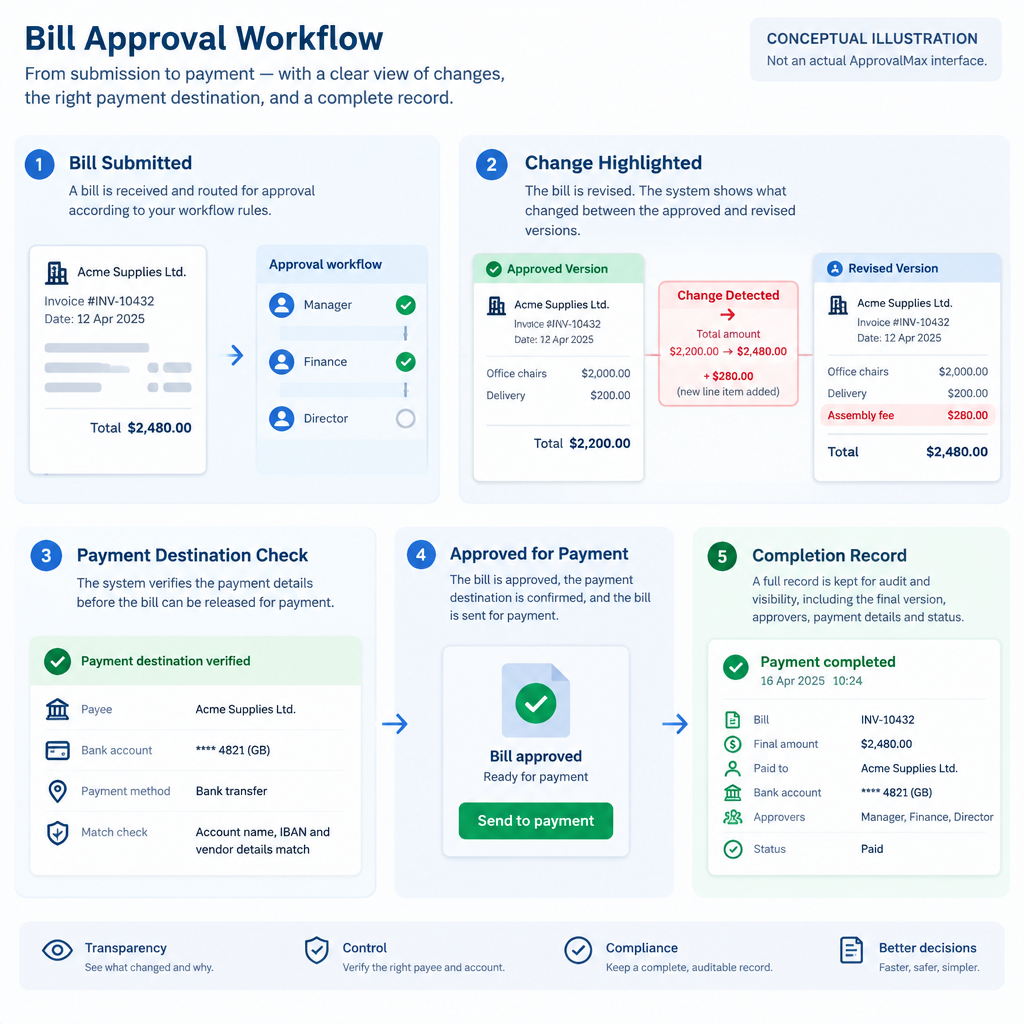
ApprovalMax’s October 29, 2026 announcement brings ApprovalMax Pay to its US customers using QuickBooks Online. The launch connects bill approval and payment in one workflow. One documented detail is especially useful when reviewing a payment run: a bill changed after approval must be approved again before payment.
ApprovalMax’s October 29 company-issued US launch announcement
The company’s operating overview also says it compares vendor details with the last successful payment and flags new or changed details. These are separate review questions: has the bill changed, and has the destination for the money changed? A familiar supplier name does not answer either question.
ApprovalMax’s explanation of post-approval changes and vendor-detail checks
Define the approved version
For an internal review, start with the bill reference, supplier, amount, currency and the evidence showing who approved that version. Then identify the payment being prepared. Keep the approval decision attached to the information the reviewer actually saw, rather than treating an earlier sign-off as permission for every later version.
Consider an invented training worksheet. Bill TRAIN-17 was approved for $1,000. Before the payment run, the amount is corrected to $1,200. The worksheet now contains a $200 difference. That calculation identifies a change; it does not authorize the extra amount. The company documents reapproval before processing a changed bill.
This is a fictional explanation, not a test of ApprovalMax or an instruction to change a real supplier bill. Use disposable examples or a provider-approved demonstration when evaluating the workflow. Do not move money merely to see what a status means.
Check the payee separately
Now keep the fictional bill at $1,000 but replace its payment destination with a different account in the worksheet. The amount still matches the approved total, yet the destination question has changed. A review that checks only the amount would miss this distinction.
Ask the person responsible for supplier records which evidence is needed to confirm a requested destination change. Record that evidence and its reviewer separately from the bill’s approval. A software flag identifies something to investigate; it is not independent confirmation that the replacement details belong to the intended supplier.
Write a small expected-results record
Before a demonstration, list three cases: an unchanged approved bill, a bill with a changed amount, and a bill associated with changed payee details. For each case, record the expected review, the observed status, who may take the next action and the evidence retained. If behavior differs from the documentation, preserve the observed state and ask the provider to explain it.
ApprovalMax describes separate permissions for preparing, approving and releasing payments, plus two-factor authentication for release. Check the roles offered in your account against your team’s intended responsibilities. Do not infer that one successful demonstration establishes every permission or exception.
Confirm cost and completion
The current US help page describes payment charges by method and shows applicable fees and foreign-exchange rates before confirmation. Review the actual quote for the selected payment. Absence of a separate Pay subscription fee does not establish that every transaction is free.
Current US payment-fee and foreign-exchange guidance
After an authorized payment, retain the completion evidence and compare the accounting record with the intended bill. The launch announcement says completed payments sync back to QuickBooks Online. An approved bill and a completed payment remain different observations; keep both in the review record.
Check the approval boundary