Gheist GitHub Token Abuse: Check Your Private Repository Controls
Wiz’s October 25, 2026 report describes Gheist, a campaign using stolen GitHub tokens to plant workflows that expose secrets. Its findings make repository visibility an immediate triage question: a protection observed working in public repositories does not establish equivalent coverage for private projects.
Wiz’s October 25 Gheist investigation
Establish which approval control you actually have
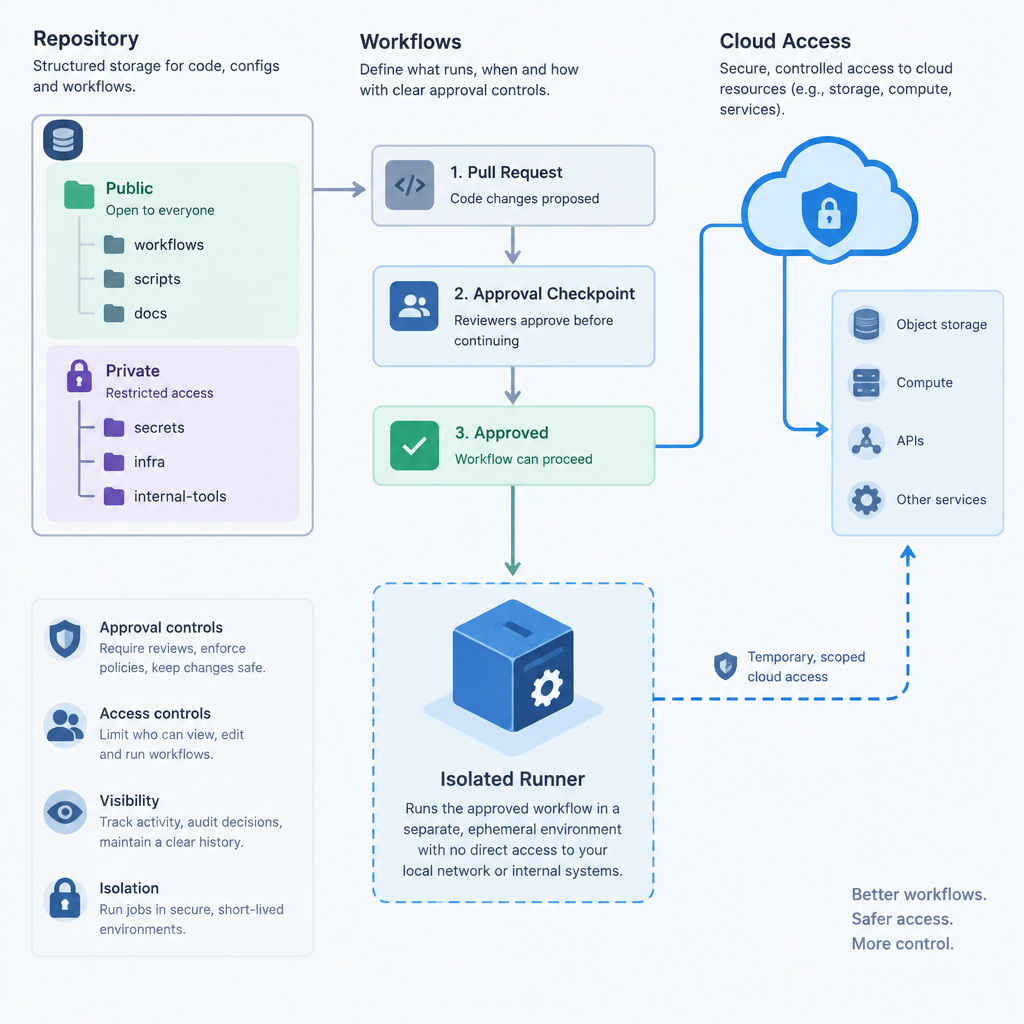
GitHub announced an automatic hold for potentially malicious workflow runs on July 28, 2026. A flagged run waits for a collaborator with write access to approve it through an authenticated web session. The announcement limits that protection to public repositories on github.com and excludes GitHub Enterprise Server.
That scope matters when a business keeps its deployment code private. An administrator should record the repository’s visibility and hosting product before treating an approval hold as part of its defenses. The announcement does not promise to detect every malicious workflow.
GitHub’s workflow-approval announcement
Look for campaign evidence without executing it
Wiz identifies branches beginning ci-sync- followed by six characters, a workflow at .github/workflows/sync-check.yml, and the commit message ci: sync config. It also recommends examining rapidly deleted workflow runs and activity carrying the gheist user agent. These are investigation leads; a name alone needs corroboration from changes, execution history and account activity.
Wiz advises revoking the tokens responsible, rotating secrets reachable from affected repositories, and treating a self-hosted runner as compromised if the malicious branch ran there. Do not approve a suspicious held run or execute its branch. Removing a branch or run does not reverse exposure.
Review secrets separately from workflow-token permissions
GitHub’s secure-use documentation warns that automatic secret redaction is not guaranteed, especially when values are transformed. It recommends minimum privileges, reviewing how actions handle secrets, rotating exposed credentials, and removing secrets that are no longer required.
For your review, inventory the credentials a deployment job can reach and their permissions. Record who owns each replacement and which application needs updating. A reduced GITHUB_TOKEN permission setting belongs in this review, but it is not a complete inventory of the other credentials available to a workflow.
Check the plan before relying on environment reviewers
Environment protection is a separate control. GitHub documents that an environment secret becomes available only to jobs referencing that environment; when approval is required, access waits for a required reviewer.
Availability is important: on GitHub Free, Pro and Team, required reviewers are available only for public repositories. Do not give a private-project owner an implementation checklist that assumes this option exists on their plan.
Where available, review deployment branch restrictions, self-review prevention and administrator bypass settings together. GitHub notes that choosing protected branches only permits all branches if no branch protection rules exist. Test the actual configuration with a harmless deployment rather than inferring enforcement from a setting’s label.
GitHub’s environment rules and plan limits
Review cloud trust and runner boundaries
OIDC can replace stored, long-lived cloud credentials with short-lived tokens. GitHub explains that the cloud provider validates the presented claims against the configured trust definition before issuing access.
Review those trust conditions for the intended repository and deployment context. Short token lifetime does not compensate for accepting an unintended workflow identity. Use your provider’s current instructions when changing the policy.
GitHub also warns that self-hosted runners can remain compromised by untrusted workflow code. Environment approval does not turn them into isolated execution environments. Review which repositories can use each runner group and what sensitive services or credentials a runner can reach.
A useful review produces concrete evidence: the affected repository list, suspicious execution records, credential owners, applicable approval rules and the cloud identities each approved job can assume.
Check your GitHub Actions protections